Photo by Christopher Robin Ebbinghaus on Unsplash
Each of us has a lot of things to do in our daily life, such as reading emails, receiving express delivery, and so on. There are times when we may feel a little anxious: there are a lot of spam emails on our mailing lists, and it takes a lot of time to sift through them; The delivery received may contain bombs planted by terrorists, threatening our security.
That’s when you might want a loyal housekeeper. You want the housekeeper to help you do the following: Have it check your inbox and remove all spam email before you start reading it; When you receive the package, have it check the package with professional equipment to make sure there is no bomb inside.
In the above example, the housekeeper is our proxy. While we were trying to do something, the housekeeper did something extra for us.
Now let’s go back to JavaScript. We know that JavaScript is an object-oriented programming language, and we can’t write code without objects. But JavaScript objects are always running naked, and you can do anything with them. Many times, this makes our code less secure.
So the Proxy feature introduced in ECMAScript2015. With Proxy, we can find a loyal housekeeper for the object and help us enhance the original functions of the object.
At the most basic level, the syntax for using Proxy looks something like this:
// This is a normal object
let obj = {a: 1, b:2}// Configure obj with a housekeeper using Proxy
let objProxy = new Proxy(obj, handler)
This is just a hint of code. Because we haven’t written a handler yet, so this code won’t run correctly for the time being.
For a person, we might have operations like reading mail, picking up delivery, etc., and the housekeeper can do that for us. For an object, we may read properties, set properties, and so on, which can also be enhanced by the proxy object.
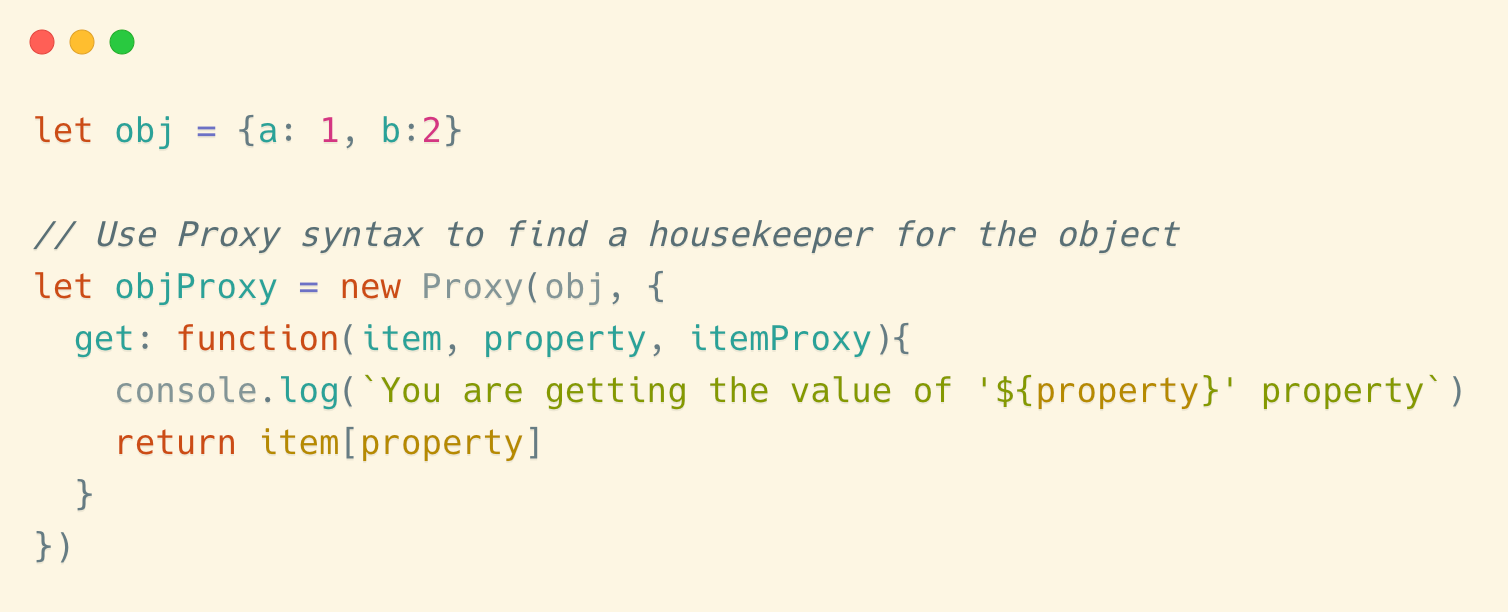
In the handler, we can list the actions we want to proxy. For example, if we want to print out a statement in the console while getting an object property, we can write like this:
let obj = {a: 1, b:2}
// Use Proxy syntax to find a housekeeper for the object
let objProxy = new Proxy(obj, {
get: function(item, property, itemProxy){
console.log(`You are getting the value of '${property}' property`)
return item[property]
}
})
In the example above, our handler is:
{
get: function(item, property, itemProxy){
console.log(`You are getting the value of '${property}' property`)
return item[propery]
}
The get function executes when we try to read the properties of the object.
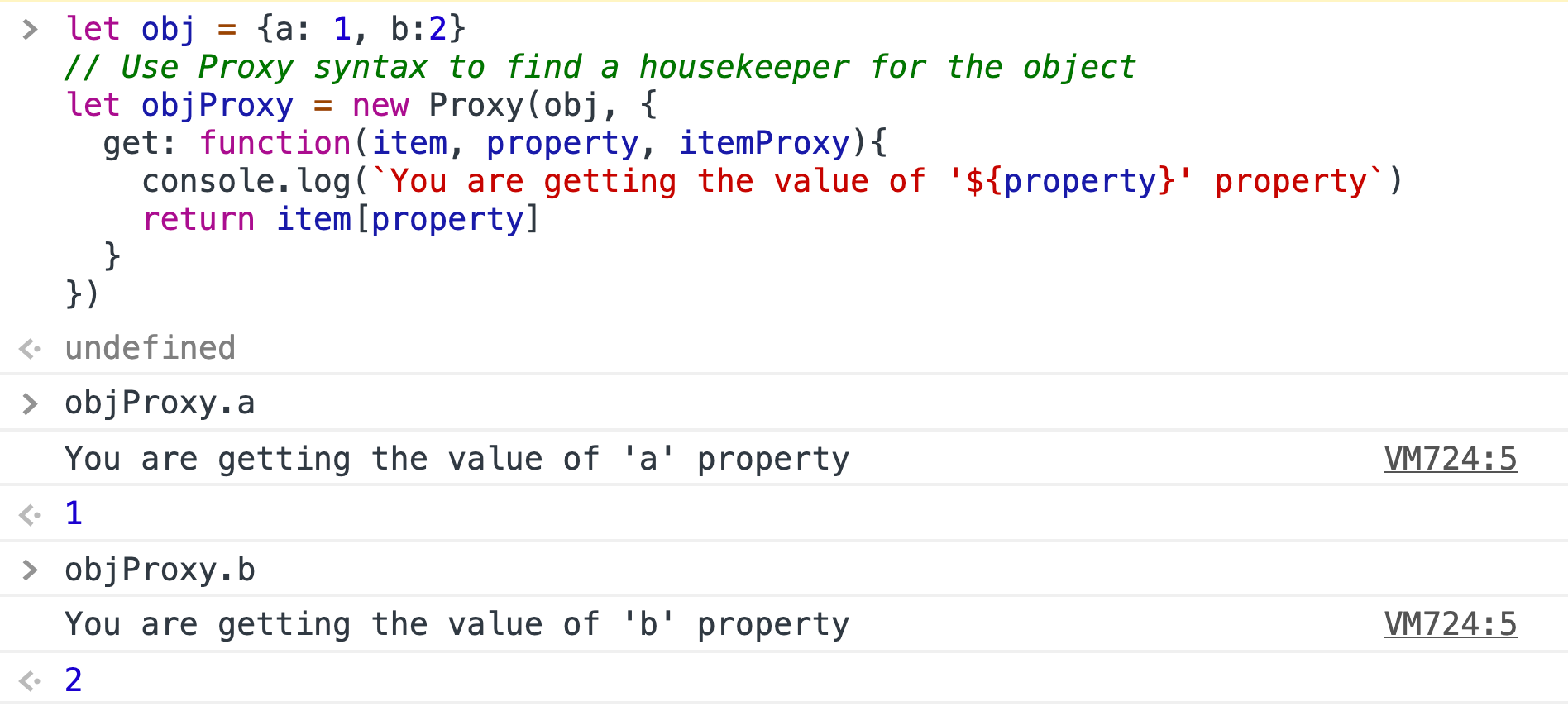
The get function can take three arguments:
- item : it is the object itself.
- proerty : the name of the property you are trying to read.
- itemProxy : it is the housekeeper object that we just created.
Then the return value of the get function is the result of reading this property. Because we don’t want to change anything yet, we just return the property’s value of the original object.
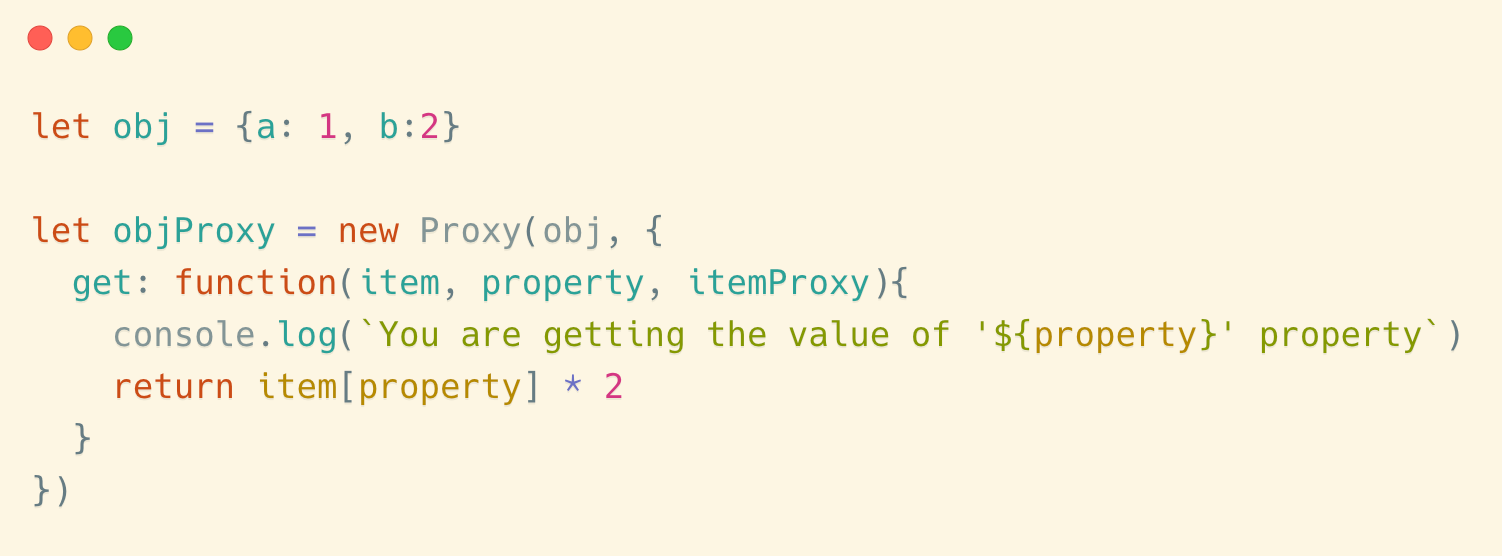
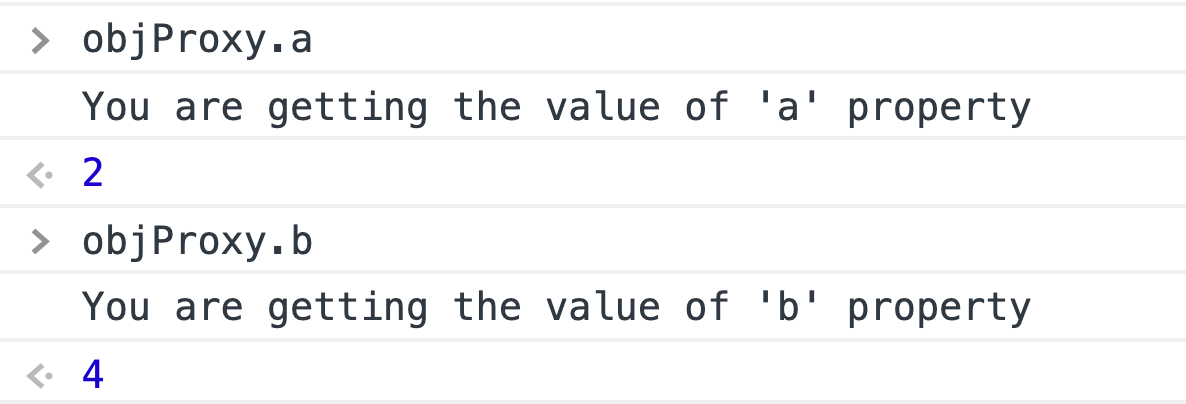
We can also change the result if we have to. For example, we can do this:
let obj = {a: 1, b:2}let objProxy = new Proxy(obj, {get: function(item, property, itemProxy){
console.log(`You are getting the value of '${property}' property`)
return item[property] * 2
}
})
Here are the results of reading it’s properties:
We will follow up with real examples to illustrate the practical use of this tip.
In addition to intercepting reads to properties, we can also intercept modifications to properties. Like this:
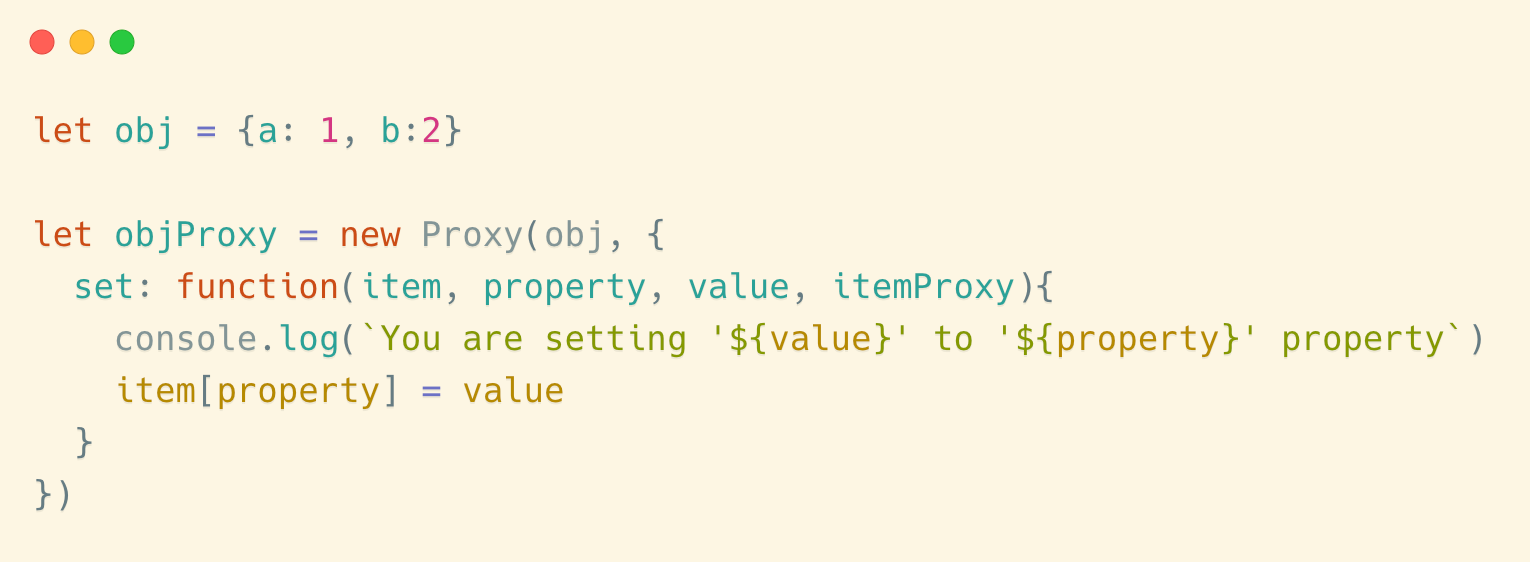
The set function is triggered when we try to set the value of the object’s property.let obj = {a: 1, b:2}let objProxy = new Proxy(obj, {set: function(item, property, value, itemProxy){console.log(`You are setting '${value}' to '${property}' property`)item[property] = value}})
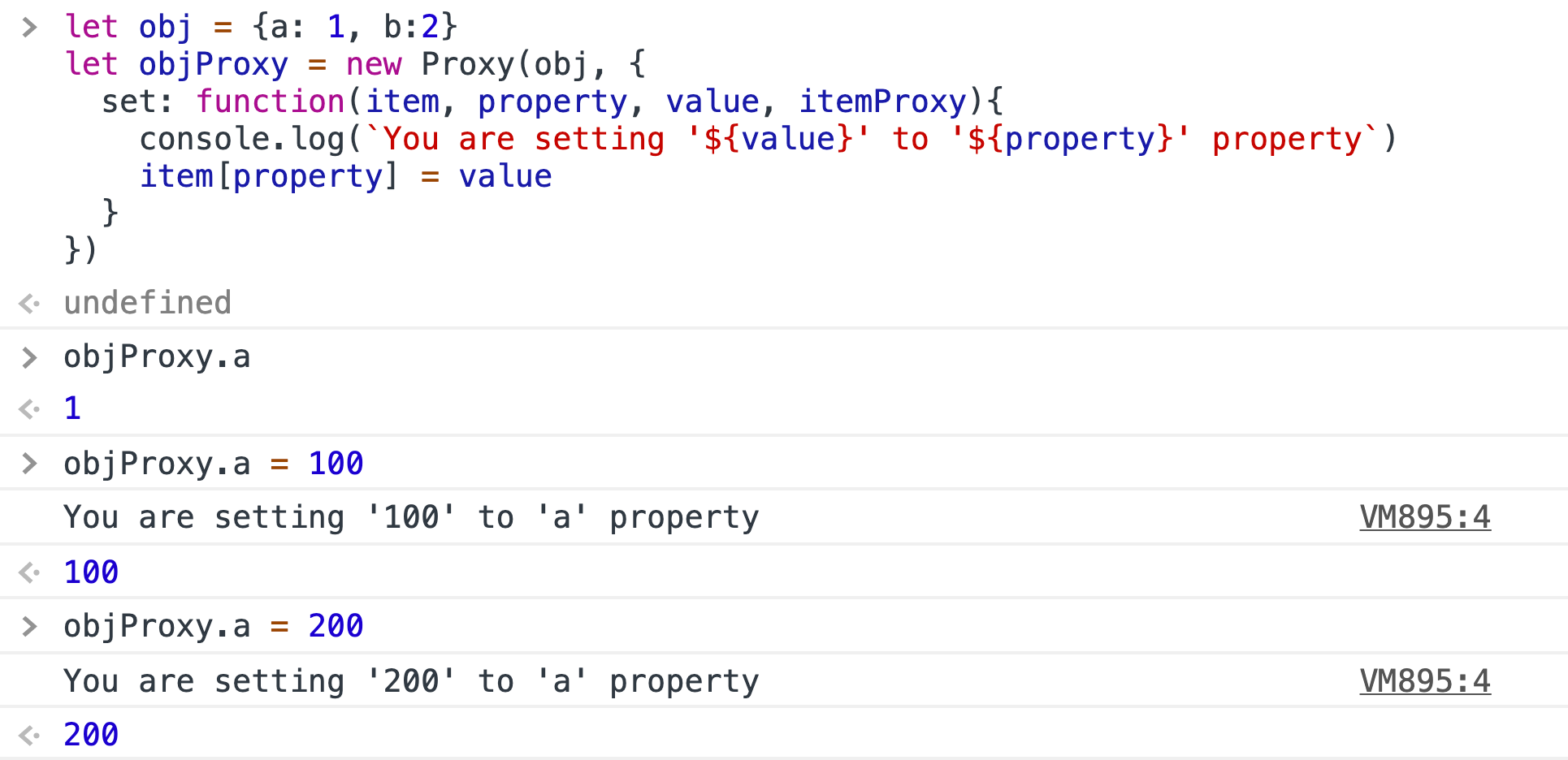
Because we need to pass an extra value when setting the value of the property, the set function above takes one more argument than the get function.
In addition to intercepting reads and modifications to properties, Proxy can intercept a total of 13 operations on objects.
They are:
get(item, propKey, itemProxy): Intercepts the reading operation of object properties, such as obj.a and ojb['b']
set(item, propKey, value, itemProxy): Intercept the setting operation of object properties, such as obj.a = 1 .
has(item, propKey): Intercept the operation of propKey in objProxy and return a boolean value.
deleteProperty(item, propKey): Intercept the operation of delete proxy[propKey] and return a boolean value.
ownKeys(item): Intercept the operations such as Object.getOwnPropertyNames(proxy),Object.getOwnPropertySymbols(proxy),Object.keys(proxy),for...in, return an array. The method returns the property names of all the target object’s own properties, while the return result of Object.keys() includes only the target object’s own enumerable properties.
getOwnPropertyDescriptor(item, propKey): Intercept the operation of Object.getOwnPropertyDescriptor(proxy, propKey), return the property’s descriptor.
defineProperty(item, propKey, propDesc): Intercepter these operations :Object.defineProperty(proxy, propKey, propDesc),Object.defineProperties(proxy, propDescs) , return a boolean value.
preventExtensions(item): Intercepter the operation of Object.preventExtensions(proxy), return a boolean value.
getPrototypeOf(item): Intercepter the operation of Object.getPrototypeOf(proxy),return an object.
isExtensible(item): Intercepter the operation of Object.isExtensible(proxy),return a boolean value。
setPrototypeOf(item, proto): Intercepter the operation of Object.setPrototypeOf(proxy, proto),return a boolean value。
If the target object is a function, there are two additional operations to intercept.s
apply(item, object, args): Intercept function call operations, such asproxy(...args),proxy.call(object, ...args),proxy.apply(...) .
construct(item, args): Intercept the operation invoked by a Proxy instance as a constructor, such as new proxy(...args).
Some intercepts are not commonly used, so I won’t go into detail. Now let’s get into the real-world examples and see what Proxy can actually do for us.
1. Implements a negative index of an array
We know that some other programming languages, such as Python, support negative index access to arrays.
A negative index takes the last position of the array as the starting point and counts forward. Such as:
arr[-1] is the last element of the array.
arr[-3] is the third element in the array from the end.
Many people think this is a very useful feature, but unfortunately, negative indexing syntax is currently not supported in JavaScript.
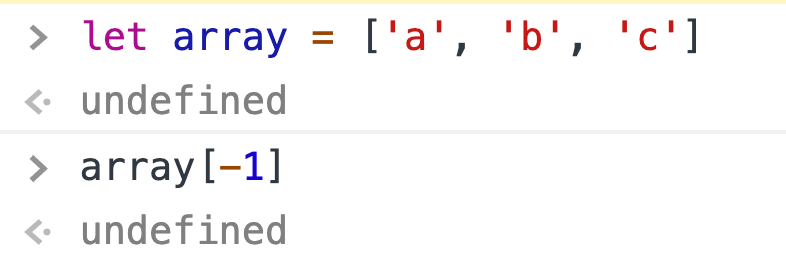
But the powerful Proxy in JavaScript gives us the ability of metaprogramming.
We can wrap an array as a Proxy object. When a user tries to access a negative index, we can intercept this operation through the Proxy’s get method. The negative index is then converted to a positive index according to the previously defined rules, and the access is completed.
Let’s start with a basic operation: intercepting reads of array properties.
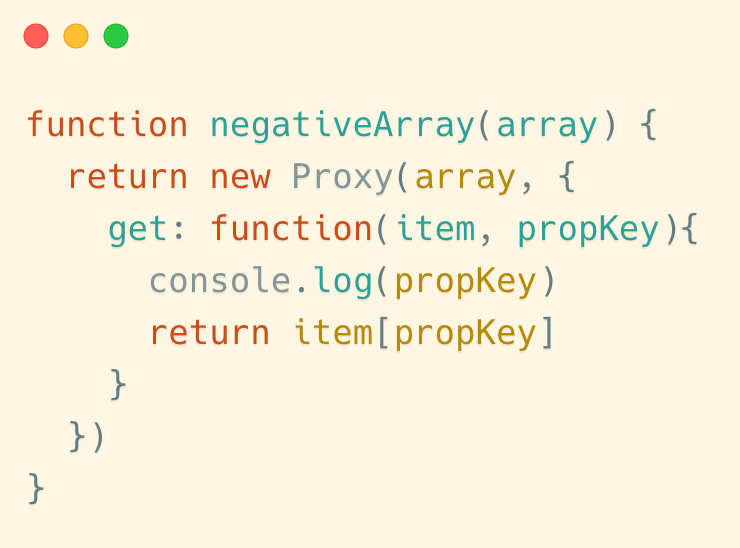
function negativeArray(array) {return new Proxy(array, {
get: function(item, propKey){
console.log(propKey)
return item[propKey]
}
})
}
The above function can wrap an array, so let’s see how it’s used.
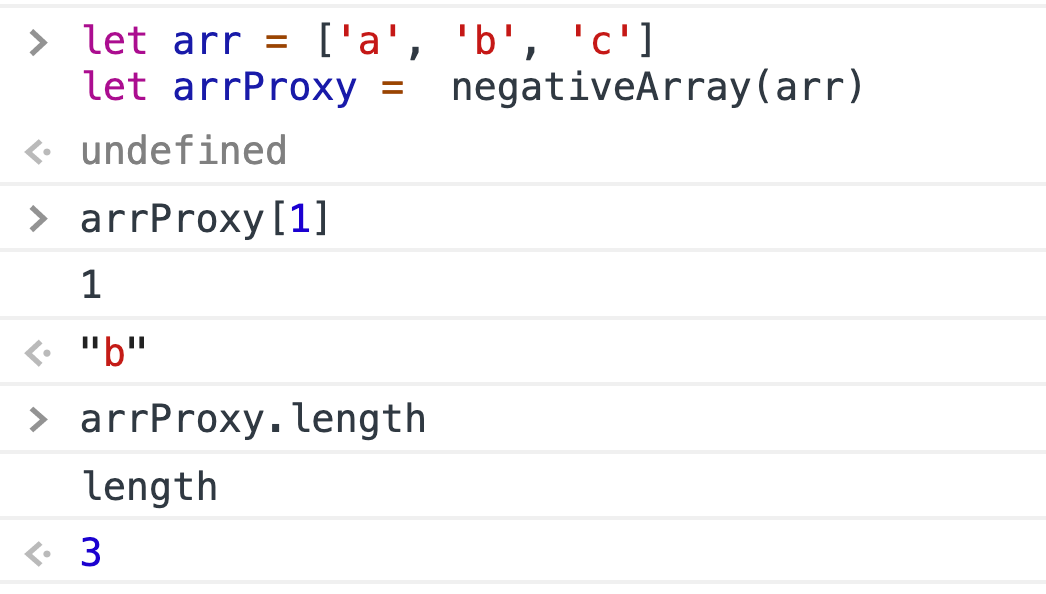
As you can see, our reading of the array properties was indeed intercepted.
Please Note: Objects in JavaScript can only have a key of type String or Symbol. When we write arr[1], it is actually accessing arr[‘1’] . The key is the string ‘1’, not the number 1.
So now what we need to do is: when the user tries to access a property that is the index of an array, and it is found to be a negative index, then intercept and deal with it accordingly; If the property is not an index, or if the index is positive, we don’t do anything.
Combining the above requirements, we can write the following template code.
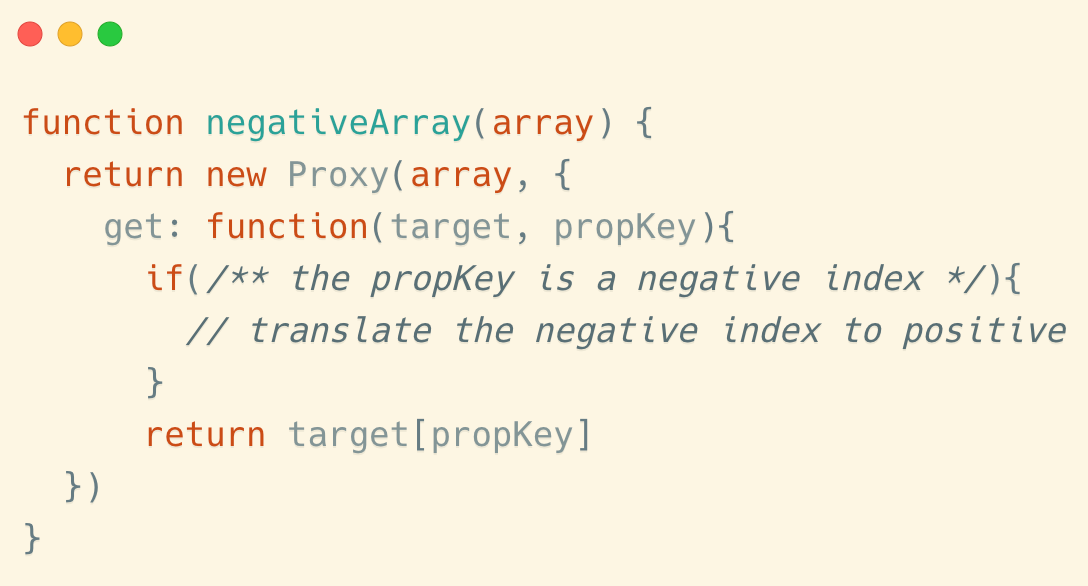
function negativeArray(array) {return new Proxy(array, {
get: function(target, propKey){
if(/** the propKey is a negative index */){
// translate the negative index to positive
}
return target[propKey]
})
}
So how do we identify a negative index? It’s easy to make a mistake, so I’m going to go into more detail.
First of all, Proxy’s get method will intercept access to all properties of the array, including access to an index of the array and access to other properties of the array. An operation that accesses an element in an array is performed only if the property name can be converted to an integer. We actually need to intercept this operation to access the elements in the array.
We can determine if a property of an array is an index by check if it can be converted into an integer.Number(propKey) != NaN && Number.isInteger(Number(propKey))
So, the complete code can be written like this:
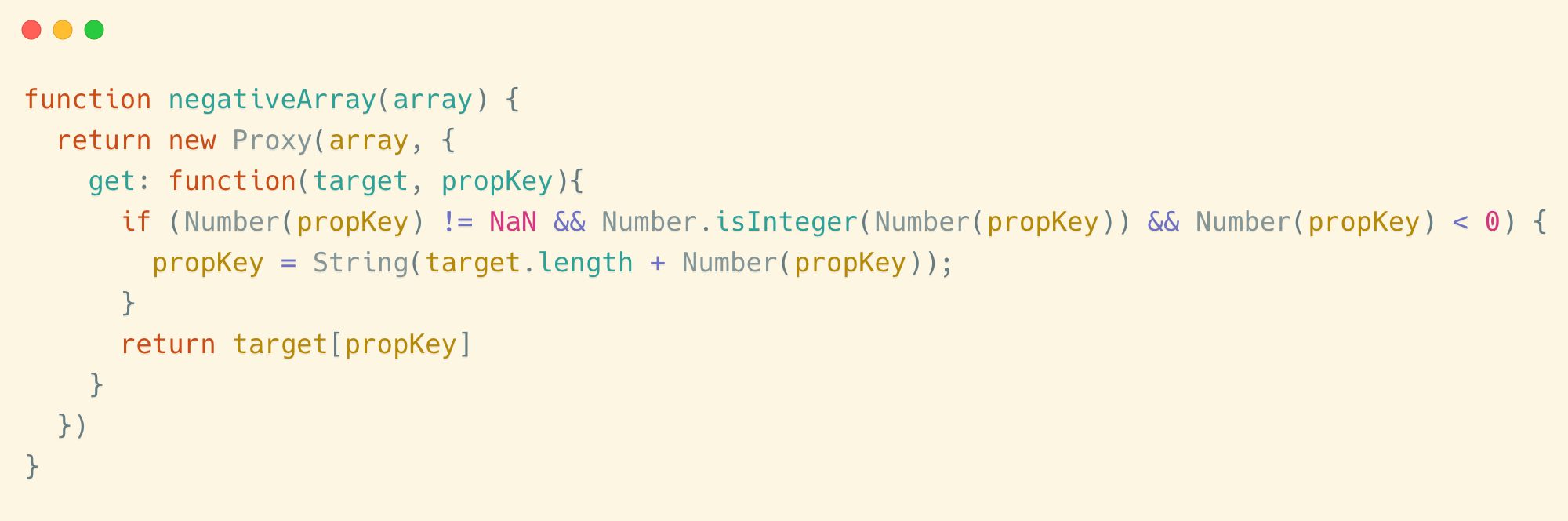
function negativeArray(array) {return new Proxy(array, {
get: function(target, propKey){
if (Number(propKey) != NaN && Number.isInteger(Number(propKey)) && Number(propKey) < 0) {
propKey = String(target.length + Number(propKey));
}
return target[propKey]
}
})
}
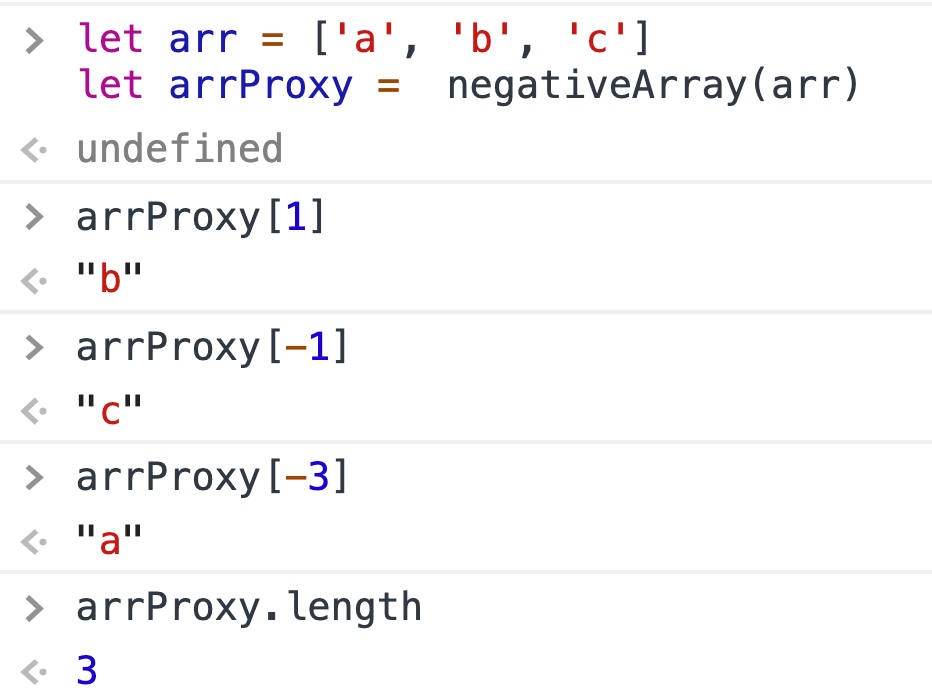
Here is an example:
As we know, javascript is a weakly typed language. Normally, when an object is created, it runs naked. Anyone can modify it.
But most of the time an object’s property value is required to meet certain conditions. For example, an object that records user information should have an integer greater than 0 in its age field, normally less than 150.let person1 = {
name: 'Jon',
age: 23
}
By default, however, JavaScript does not provide a security mechanism, and you can change this value at will.person1.age = 9999
person1.age = 'hello world'
In order to make our code more secure, we can wrap our object with Proxy. We can intercept the object’s set operation and verify whether the new value of the age field conforms to the rules.
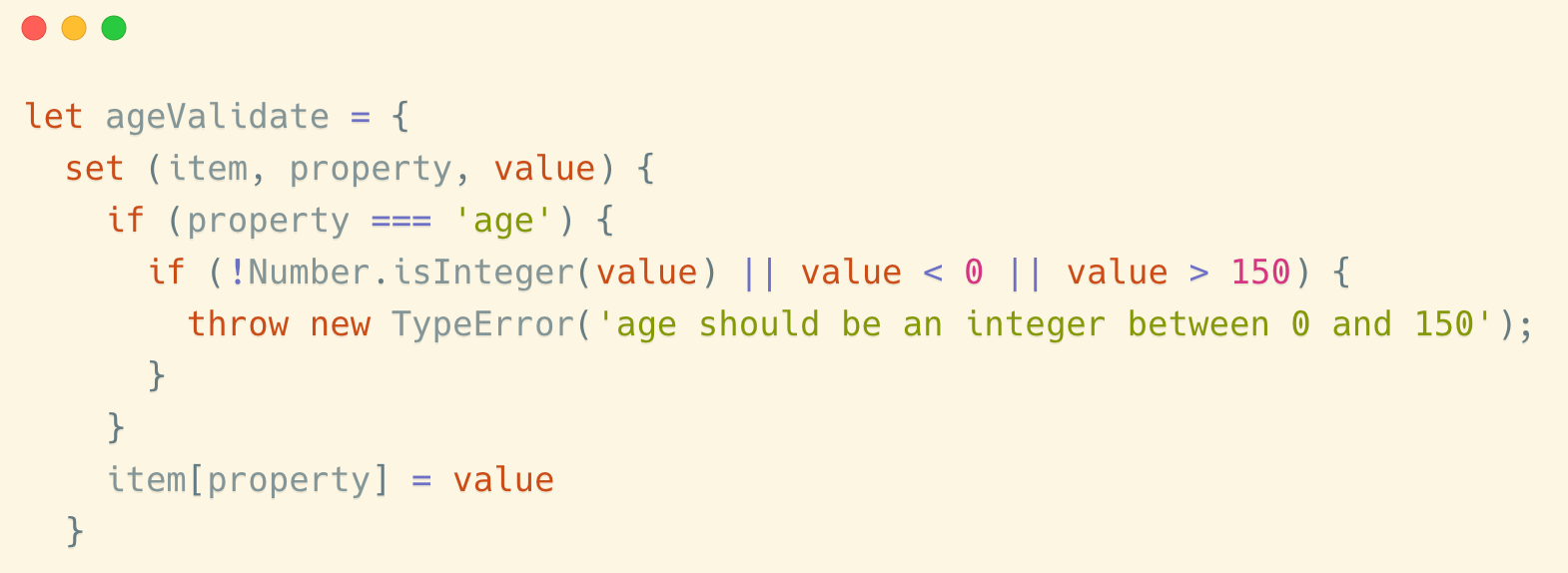
let ageValidate = {
set (item, property, value) {
if (property === 'age') {
if (!Number.isInteger(value) || value < 0 || value > 150) {
throw new TypeError('age should be an integer between 0 and 150');
}
}
item[property] = value
}
}
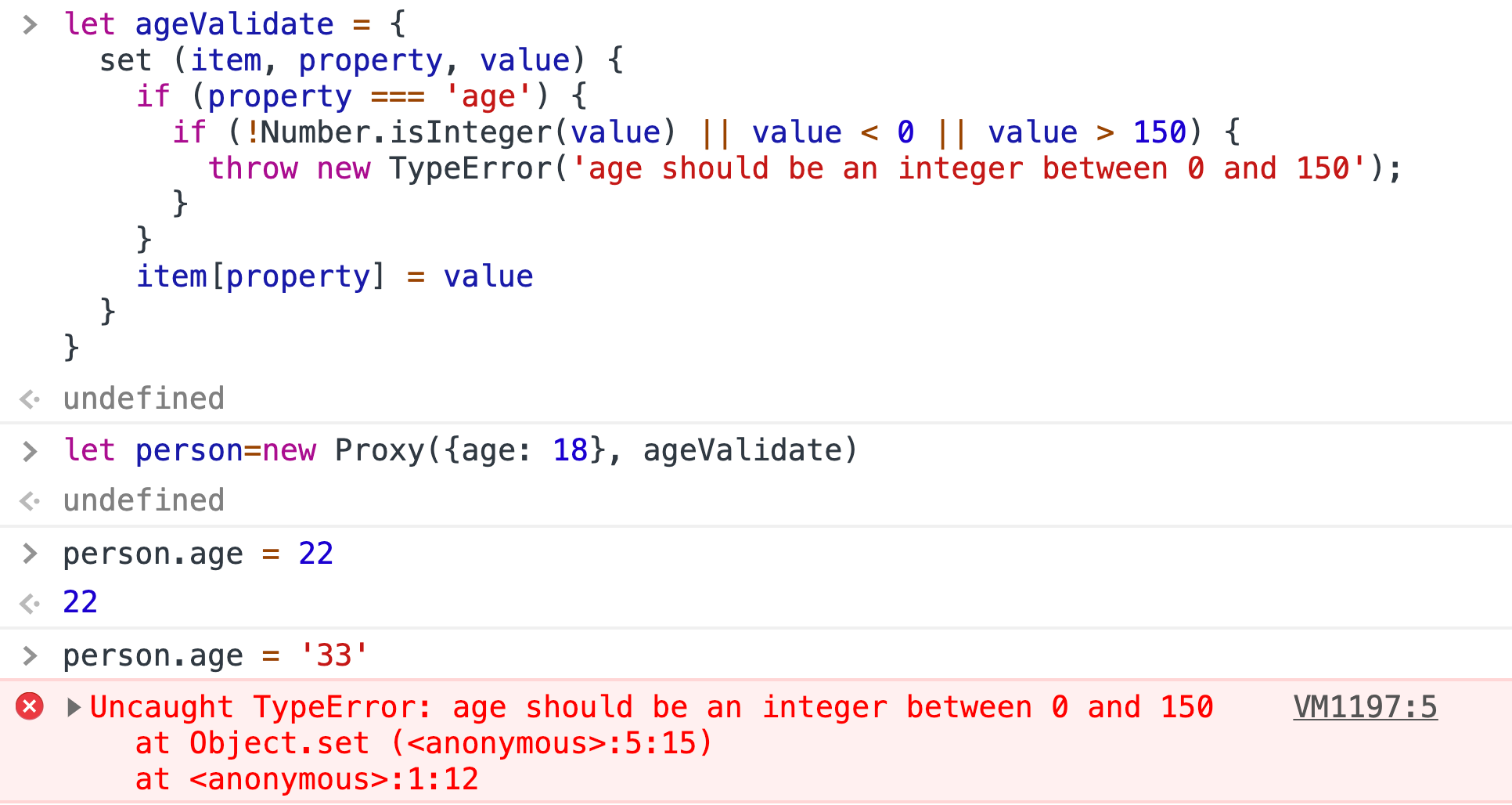
Now we try to modify the value of this property, and we can see that the protection mechanism we set is working.
Many times, the properties of an object are related to each other. For example, for an object that stores user information, its postcode and location are two highly correlated properties. When a user’s postcode is determined, his location is also determined.
To accommodate readers from different countries, I use a virtual example here. Assume that the location and postcode have the following relationship:JavaScript Street -- 232200Python Street -- 234422Goland Street -- 231142
This is the result of expressing their relationship in code.
const location2postcode = {
'JavaScript Street': 232200,
'Python Street': 234422,
'Goland Street': 231142
}const postcode2location = {
'232200': 'JavaScript Street',
'234422': 'Python Street',
'231142': 'Goland Street'
}
Then look at an example:
let person = {
name: 'Jon'
}person.postcode = 232200
We want to be able to trigger person.location='JavaScript Street' automatically when we set person.postcode=232200 .
Here is the solution:
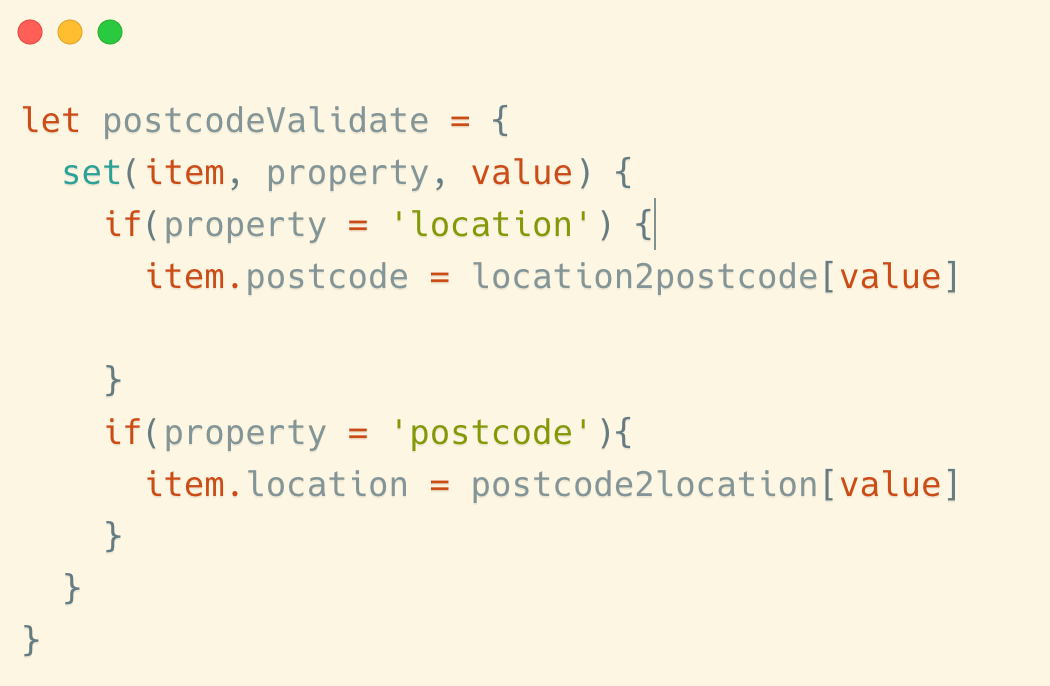
let postcodeValidate = {
set(item, property, value) {
if(property = 'location') {
item.postcode = location2postcode[value]
}
if(property = 'postcode'){
item.location = postcode2location[value]
}
}
}
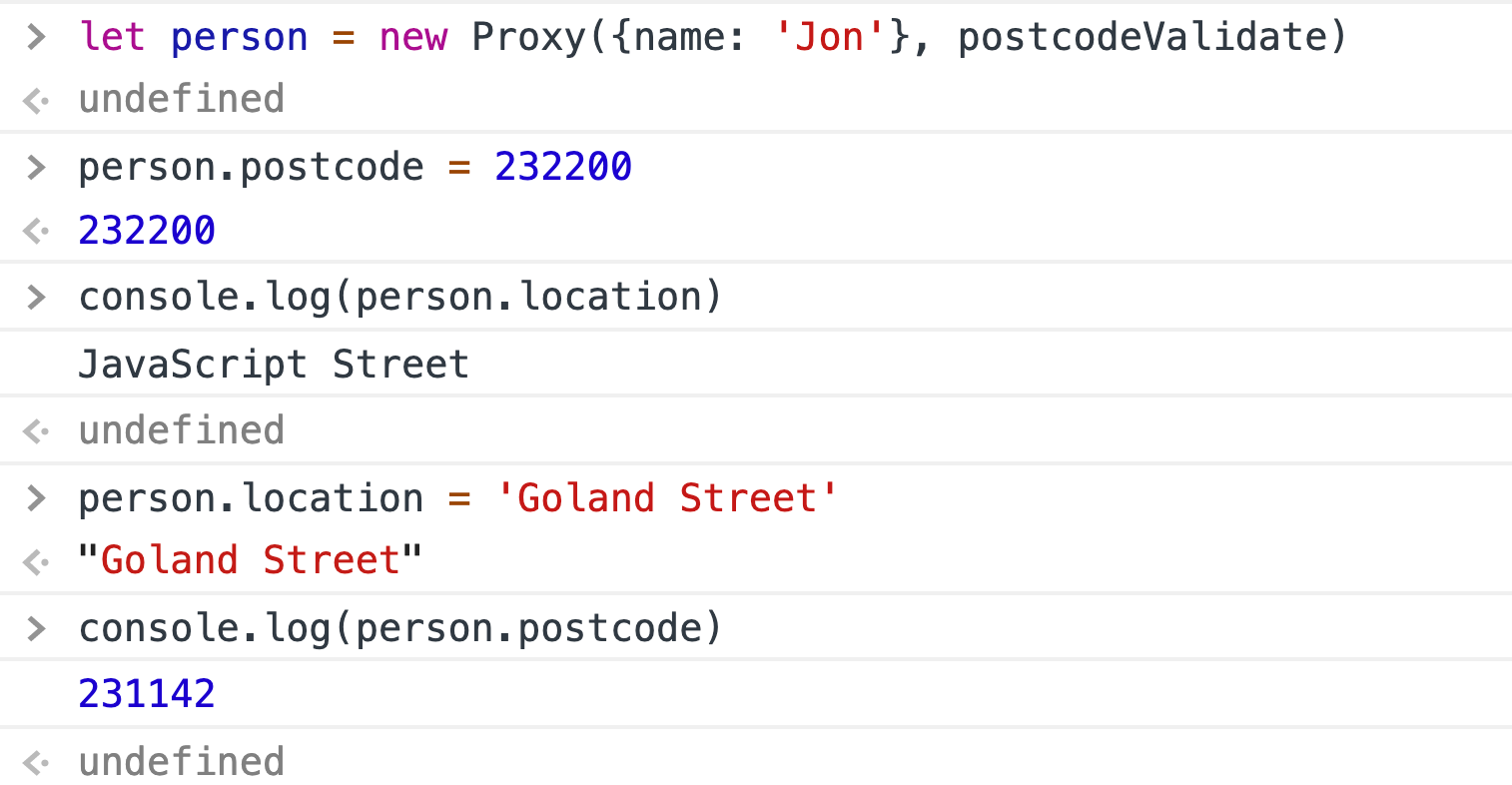
So we’ve bound the postcode and location together.
4. Private Property
We know that private properties have never been supported in JavaScript. This makes it impossible for us to manage access rights reasonably when we are writing code.
To solve this problem, the JavaScript community’s convention is that fields that begin with the character _ are considered as private properties.
var obj = {
a: 1,
_value: 22
}
The _value property above is considered private. It is important to note, however, that this is just a convention, and there is no such rule at the language level.
Now that we have the Proxy, we can simulate the private property feature.
Compared to ordinary properties, private properties have the following features:
The value of this property cannot be read
When the user tries to access the object’s key, the property is not noticeable
We can then examine the 13 intercept operations of Proxy that we mentioned earlier and see that there are 3 operations that need to be intercepted.
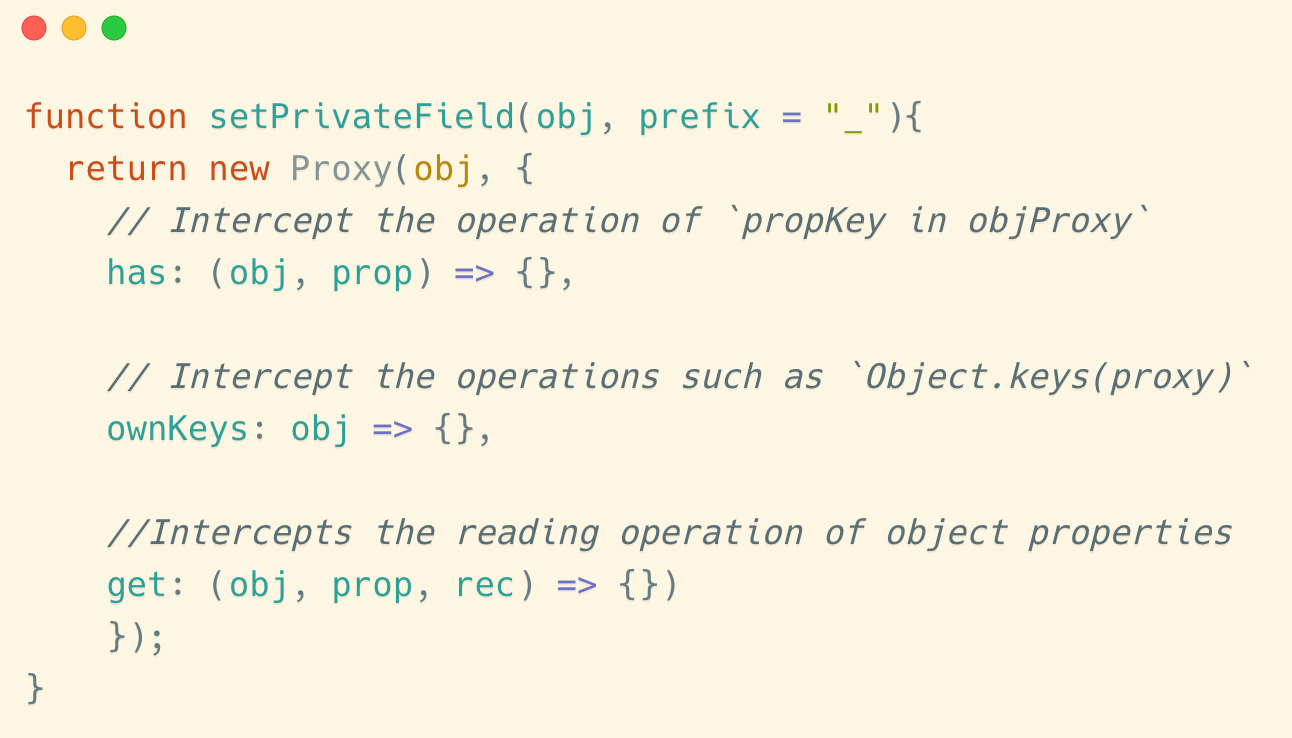
function setPrivateField(obj, prefix = "_"){return new Proxy(obj, {
// Intercept the operation of `propKey in objProxy`
has: (obj, prop) => {}, // Intercept the operations such as `Object.keys(proxy)`
ownKeys: obj => {}, //Intercepts the reading operation of object properties
get: (obj, prop, rec) => {})
});
}
We then add the appropriate judgment statement to the template: if the user is found trying to access a field that starts with _, access is denied.
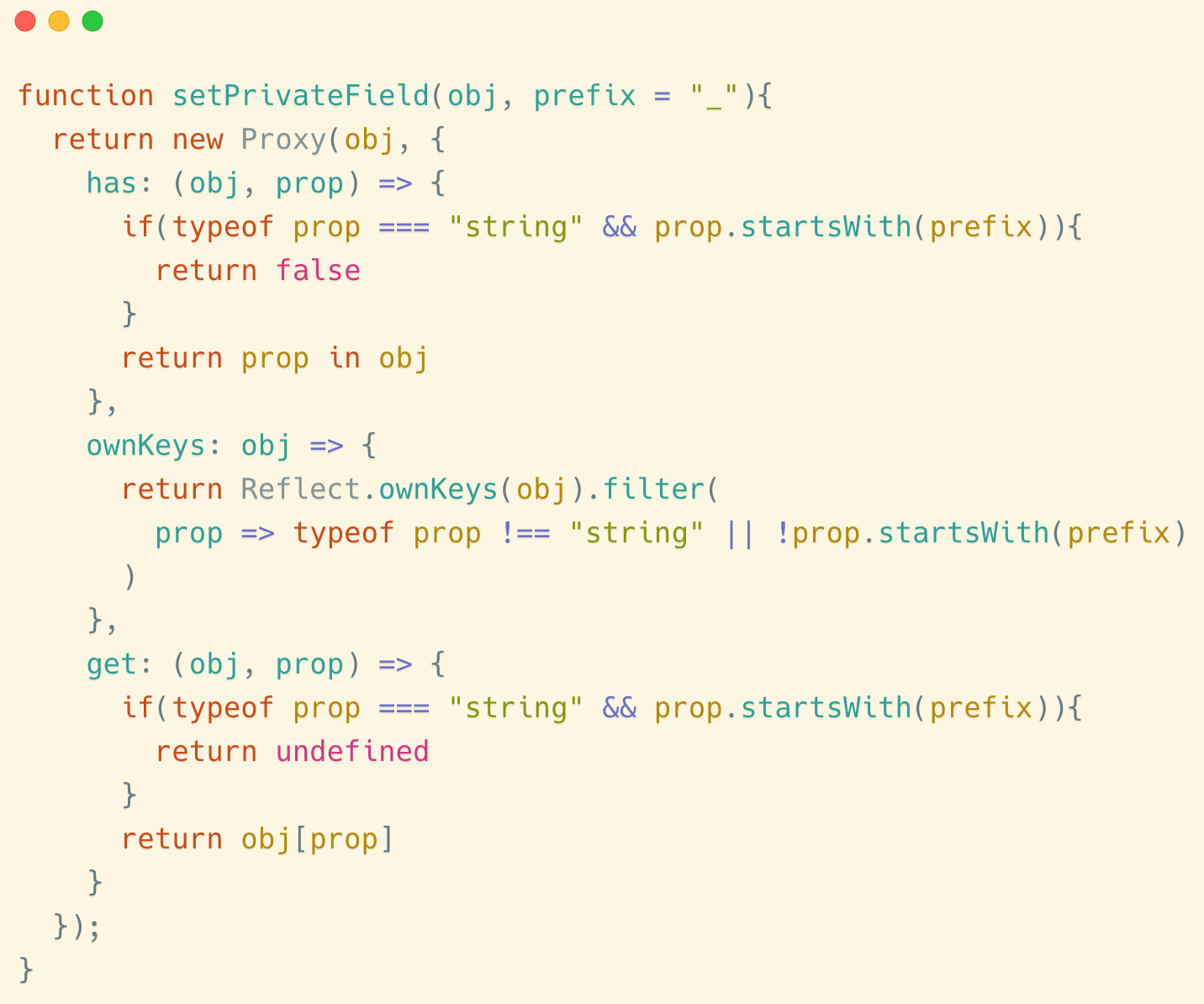
function setPrivateField(obj, prefix = "_"){
return new Proxy(obj, {
has: (obj, prop) => {
if(typeof prop === "string" && prop.startsWith(prefix)){
return false
}
return prop in obj
},
ownKeys: obj => {
return Reflect.ownKeys(obj).filter(
prop => typeof prop !== "string" || !prop.startsWith(prefix)
)
},
get: (obj, prop) => {
if(typeof prop === "string" && prop.startsWith(prefix)){
return undefined
}
return obj[prop]
}
});
}
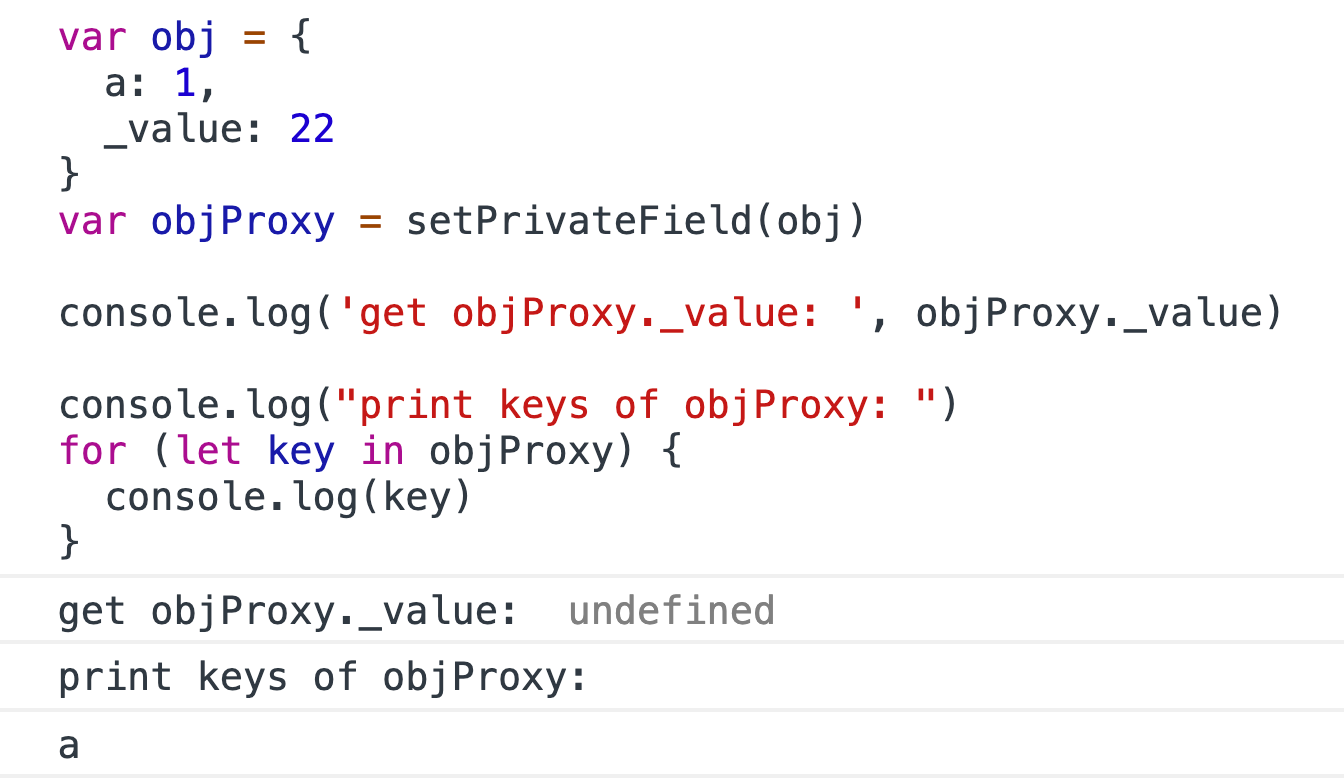
Here is an example:
WRITTEN BY
No comments:
Post a Comment